The Context agent
in your terminal
Install the CLI on your laptop, pair it with your workspace once, and hand it real work on any model in the catalog. Every session shows up in your team's task list.
curl -fsSL https://workspace.context.ai/install.sh | bashmacOS · Linux · Windows · install options
Your terminal, your team's task list
Sessions run on your machine with your files and your shell. Each one lands in the workspace task list, where the team can see it, and bills to one account.
Any model, per session




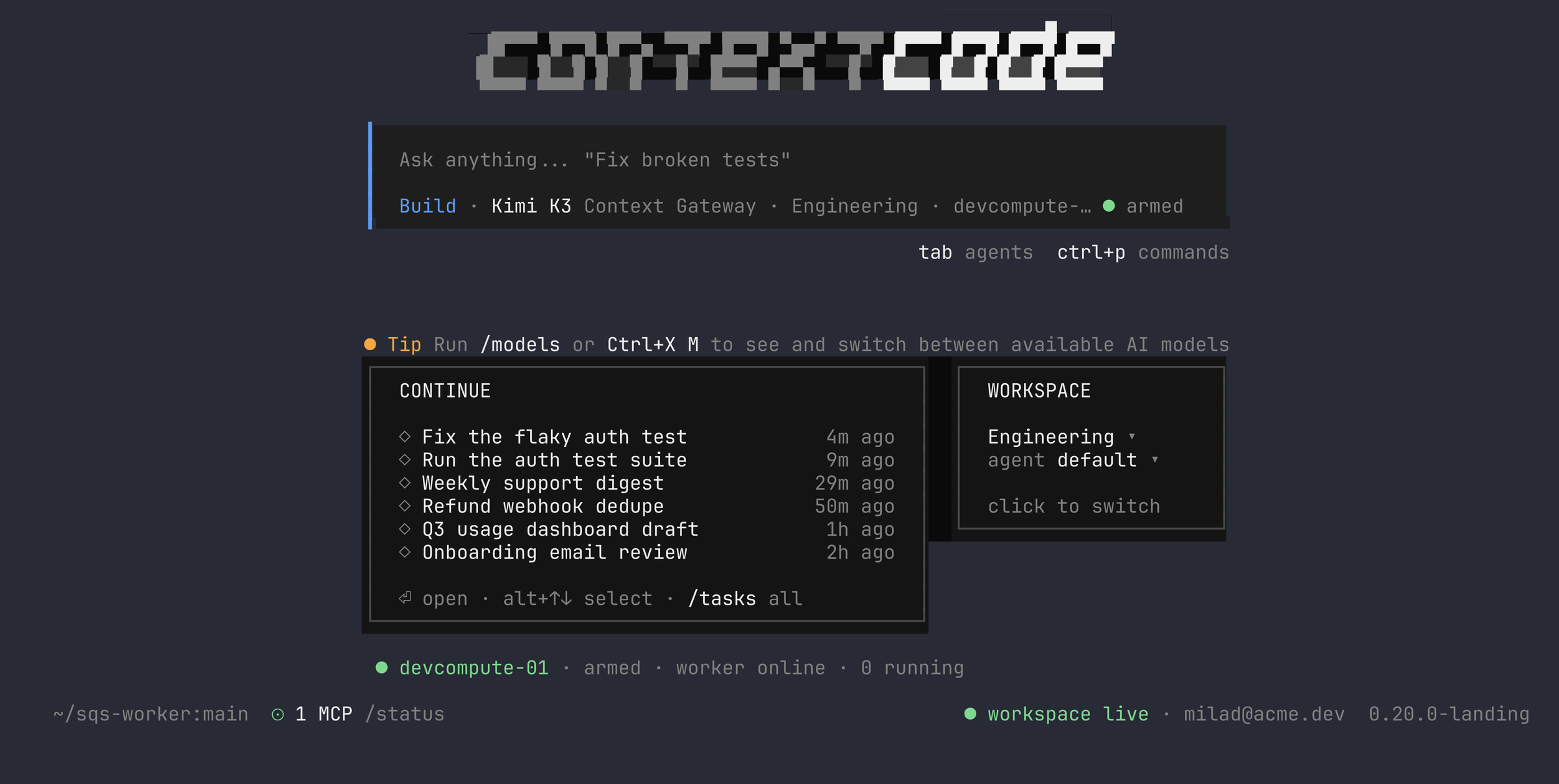
Runs natively on every laptop your team uses
One command installs Context Code on macOS, Linux or Windows. The installer checks every download against the release manifest's SHA-256 before anything runs.
- macOS Apple silicon and Intelinstall.sh
- Linux x64install.sh
- Windows x64, nativeinstall.ps1
You control every machine that can act for you
Pairing gives each machine its own key, named after the device. You see every paired device in the workspace and can revoke any one of them in a click.
One task list, every machine
A session in the terminal is a task in your workspace. The team can watch it stream, answer it, and pick it up on another machine without losing the thread.
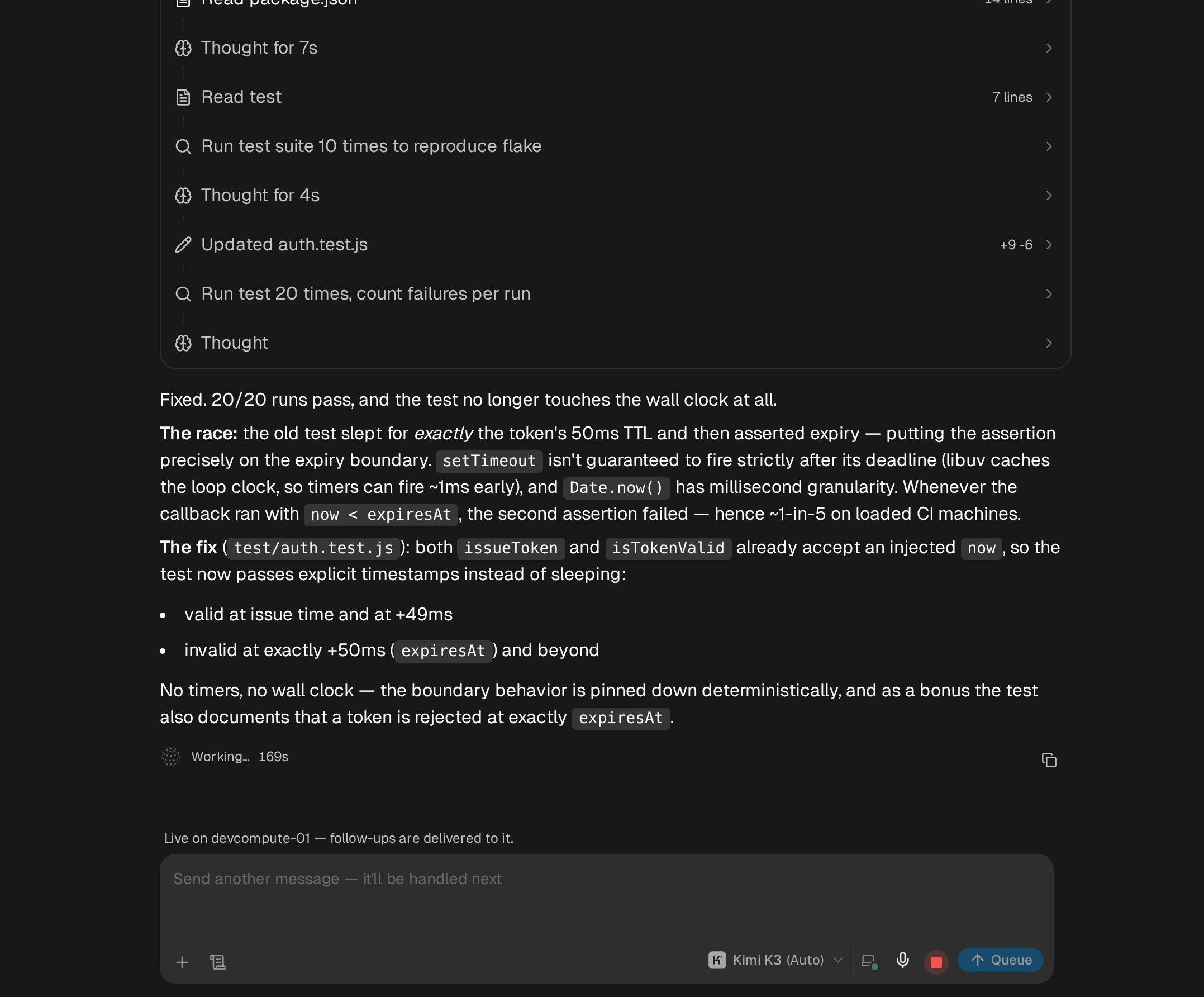
Sessions stream to the workspace live.
Start a session in the terminal and it lands in the task list. Teammates open the task in the browser and read the plan, the diff, and the test results as they happen. The page names the machine the session is live on, and follow-ups typed there are delivered to it.
Pick any task up on your machine.
Run the continue command and pick from your recent tasks, or paste a task link from the workspace. The session opens in your terminal with its full history, and your next message continues it here.
context-code continue <task link>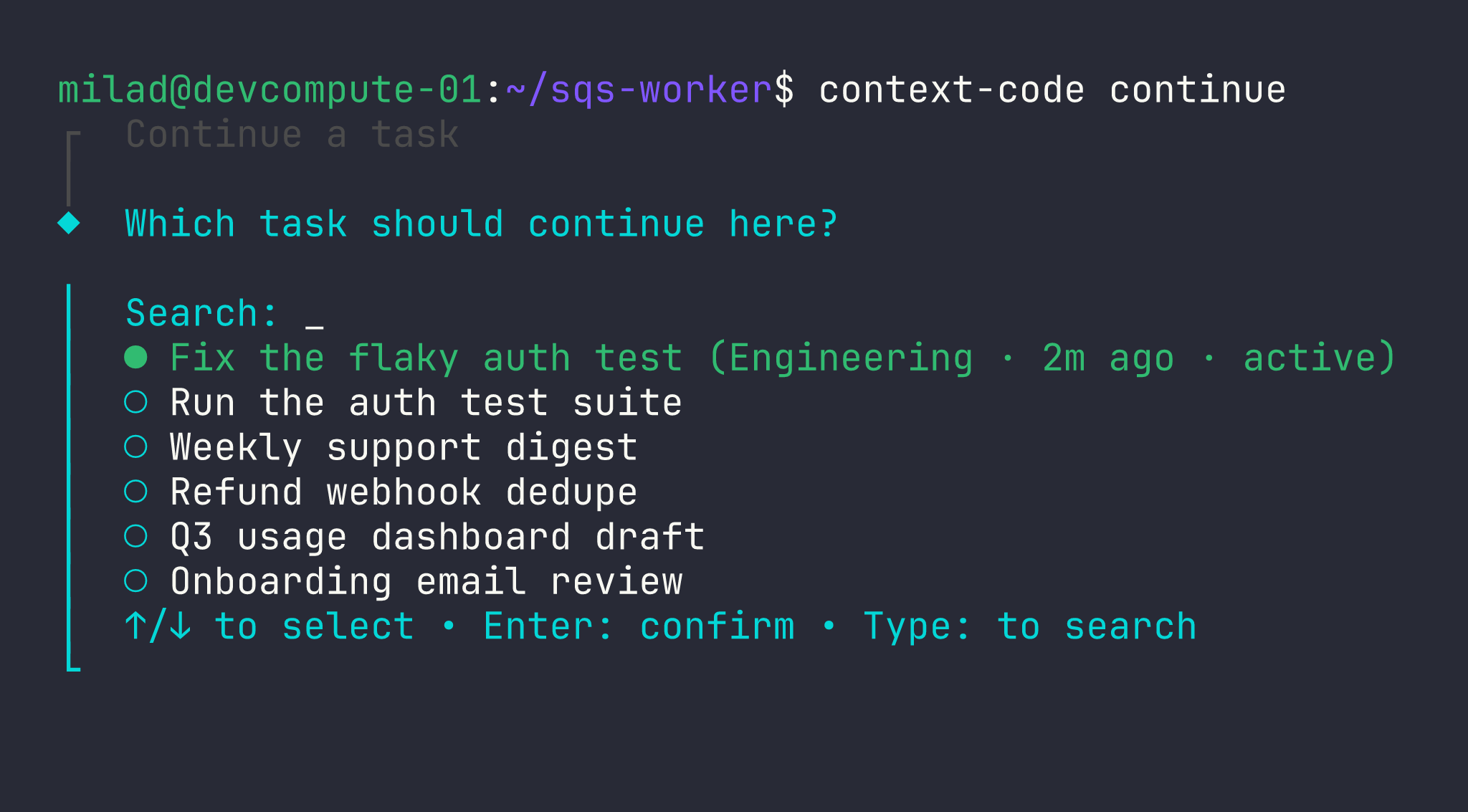
Arm a machine and send work to it.
The worker command keeps a machine listening for dispatched tasks. Start a task in the workspace, target that machine, and the run executes there and syncs its transcript back to the task when it settles.
context-code worker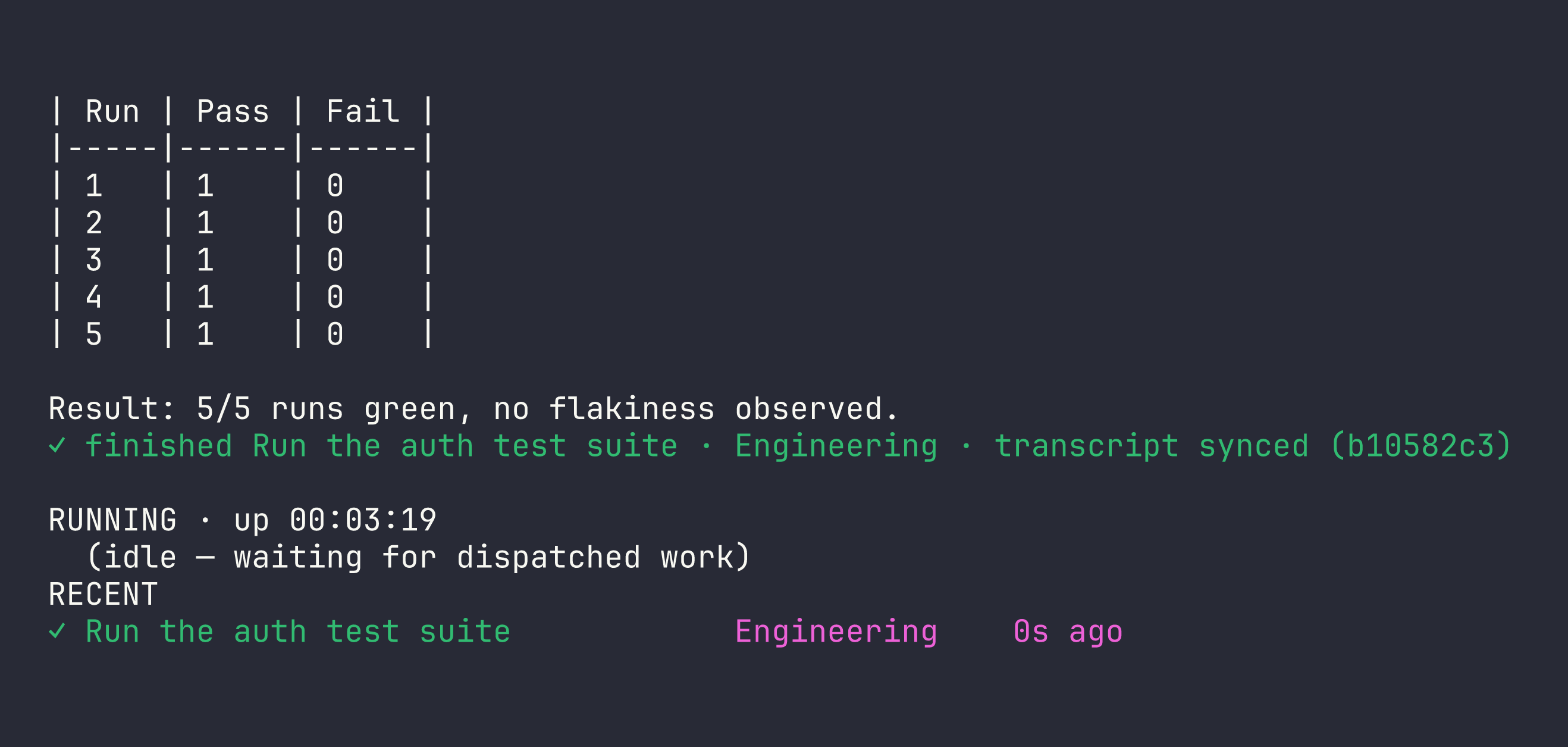
Pick the right model for each job
Context Code runs every model in your workspace catalog. Use a frontier model for the hard refactor and an open-weight model for the long routine run, and switch whenever you start a session.
Models in one catalog, frontier and open-weight
Bill for every session: your workspace usage
Vendor API keys to create, store or rotate on your laptop
Every major model family, one sign-in
Pairing your laptop once gives you the whole catalog. Sessions bill as workspace usage on whichever model you pick, so finance sees one account and engineers never handle vendor keys.
| Vendor | Models | Weights |
|---|---|---|
| Anthropic | Claude Opus, Sonnet and Haiku | Closed |
| OpenAI | GPT-5 series | Closed |
| Gemini Pro and Flash | Closed | |
| Moonshot AI | Kimi | Open |
| DeepSeek | DeepSeek Pro and Flash | Open |
| Z.ai | GLM | Open |
The main families in the catalog, which also carries Qwen and others. It is the same catalog your workspace uses in the browser, and it grows as vendors ship.
Install, log in, work
From an empty laptop to an agent session in your workspace in three steps. The install script and the release channel are the same ones every workspace deployment serves.
The installer downloads the current release, verifies it against the SHA-256 in the public manifest, and puts context-code on your PATH.
- macOS · Linux: one shell command
- Windows: one PowerShell command
- Re-running the installer on the same version keeps the existing install.
$ curl -fsSL https://workspace.context.ai/install.sh | bash
◆ context-code Installer
Downloading context-code-0.19.1.tar.gz...
✓ context-code v0.19.1 ready
context-code login prints a pairing code and an approval link. Approving it in the workspace provisions the CLI's agent and mints a key named after the device.
- One key per device, named after it
- Revocable on its own from the workspace
- Nothing is pasted into the terminal.
Run context-code and give it a task. The session executes on your machine with your files and your shell, shows up in the workspace task list, and bills to your account like any other task.
- Visible in the workspace task list
- Billed as workspace task usage
- context-code update pulls the next checksum-verified release.
Everything Claude Code does, plus your team
Context Code runs Claude models too, alongside every other model in your catalog. Each session lands in the workspace where your team can pick it up, and every laptop bills to one account.
Sources for each row are on the comparison page.
Safe to install on every laptop
The record behind the install command: what ships, how it is verified, and what a paired device can do.
- Verified installs
- Every download is checked against the manifest's SHA-256 and aborts on a mismatch. context-code update pulls from the same channel.
- Current release
- v0.19.1, built 2026-09-20. Published with its checksums in a public release manifest.
- Published checksums
- SHA-256 · tarball38eaea633db42dd05431e5d3b31336e081a5cf7d5ed2c5feb062a630a7a2e959SHA-256 · zip9f615229da44d13a87f1c4cba52b8c81fd550eb0226c50845b5bc4cc80115cfc
- Revocable device keys
- Pairing mints a key named after the device, and nothing is pasted into the terminal. Each device's key can be revoked on its own from the workspace.
- Visible sessions
- Every CLI session appears in the workspace task list and bills to the workspace account. No session runs on a side credential.
- Native on every platform
- Native builds for macOS (Apple silicon and Intel), Linux and Windows, each with the context workspace CLI. Third-party license notices ship with the software.
Values recorded 2026-09-27 from the release manifest.
Start your first session
Install context-code, pair it with your workspace, and the session shows up in your task list like any other agent run. No workspace yet? Creating one takes a minute.
Open your workspace